Custom Variables: Part 1 — The Old Way vs. Amanita’s Way
Today we’re talking about adding your own custom variable types to Amanita. But before we bask in the glory of the new system, let’s take a quick trip back to the Ye Olde Fungus days.

Don’t worry, I lore‑drop better than most gacha game writers. But fair warning: as wonderful as Fungus is, it has a dark past. We'll be looking into an abyss.

The Old Fungus Workflow
So, you’ve written your shiny new variable type and its matching VariableData struct. Great! Now, in Ye Olde Fungus, here’s what came next:
- Crack open AllVariableTypes.cs
- Add your type to AllFungusVarTypes
- Add your VariableData to AnyVariableData’s public fields
- Hack HasReference with yet another if
- Register it in typeActionLookup — copy‑pasting and praying you didn’t typo anything or break custom logic
- And if you wanted it to look nice in the Variables Window? Time to spelunk through editor code and hope nothing else exploded.

Oh, sweet summer seedling... Let me show you a piece of AllVariableTypes.cs.
Yup. And that’s just the first place you had to touch.
As mentioned before (and yes, I’m going to keep saying this) you’d hop over to AnyVariableData and add a new public field for your data struct.

We’re not done. Again (and yes, still on purpose) you’d wedge a new || check into HasReference…
…and still, to reiterate, you’d go to AnyVariableAndDataPair and add an entry to typeActionLookup, complete with copy‑pasted lambdas for compare, describe, and set.
Exactly. It's like CG-Tespy wrote it or something.

It’s the kind of process where you keep a pot of coffee and a bottle of aspirin on standby. It doesn’t exactly follow the Open‑Closed Principle, either…
They're adorable. And this whole thing goes to show that even great works of software engineering (like Fungus) have areas that could be improved upon. Lord knows Unity itself has plenty as well... Now, let's expand more upon how things went against the OCP.
Why This Breaks the Open‑Closed Principle
The Open‑Closed Principle says: software entities should be open for extension, but closed for modification.

Quite. Unfortunately, Fungus went against that principle; adding a type meant performing surgery on its vital organs.

And the more types you added, the easier it was to put a murder on your record. Tess has enough to have gotten him sent to Death Row years ago.

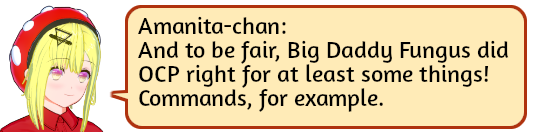
Right. Adding a new Command was as simple as creating a subclass, adding an attribute, and overriding one function. No scalpels needed. Our solution for variables is just as clean.
Amanita’s Way
Here’s what you do now:
- Subclass Muscariable<T> — where T is your actual data type.
- Override the operators you need.
- Slap on a [VariableInfo] attribute.

Exactly. You give it three arguments:
- Category — which section in the popup you live under
- OptionDisplayName — what the user clicks
- ContentType — the typeof your variable wraps


Boom. No AllVariableTypes.cs, no HasReference hacks, no spelunking through editor scripts. Just your type, its accompanying VariableData<T> inheritor, and a matching [VariableData] attribute. Done.
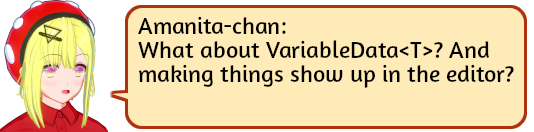
We’ll cover one of those next time. With more lore drops!

Leave a comment
Log in with itch.io to leave a comment.